Describe when someone would need this information. For example "when connecting to wi-fi for the first time".
Add the steps involved:
GlowHost supports free SSL certificates by Let's Encrypt. As a Reseller, you can enable them for specific packages and set up sites for SSL right from your control panel. Let's Encrypt certificates are issued on a 6 month period and are auto-renewed. The best part is Let's Encrypt is completely free.
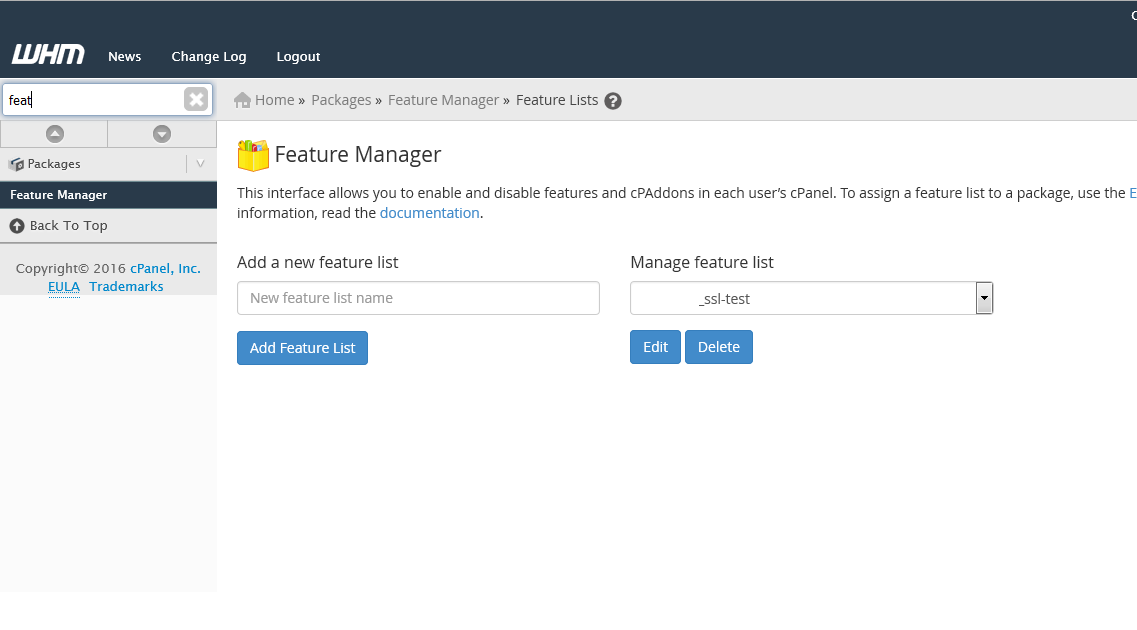
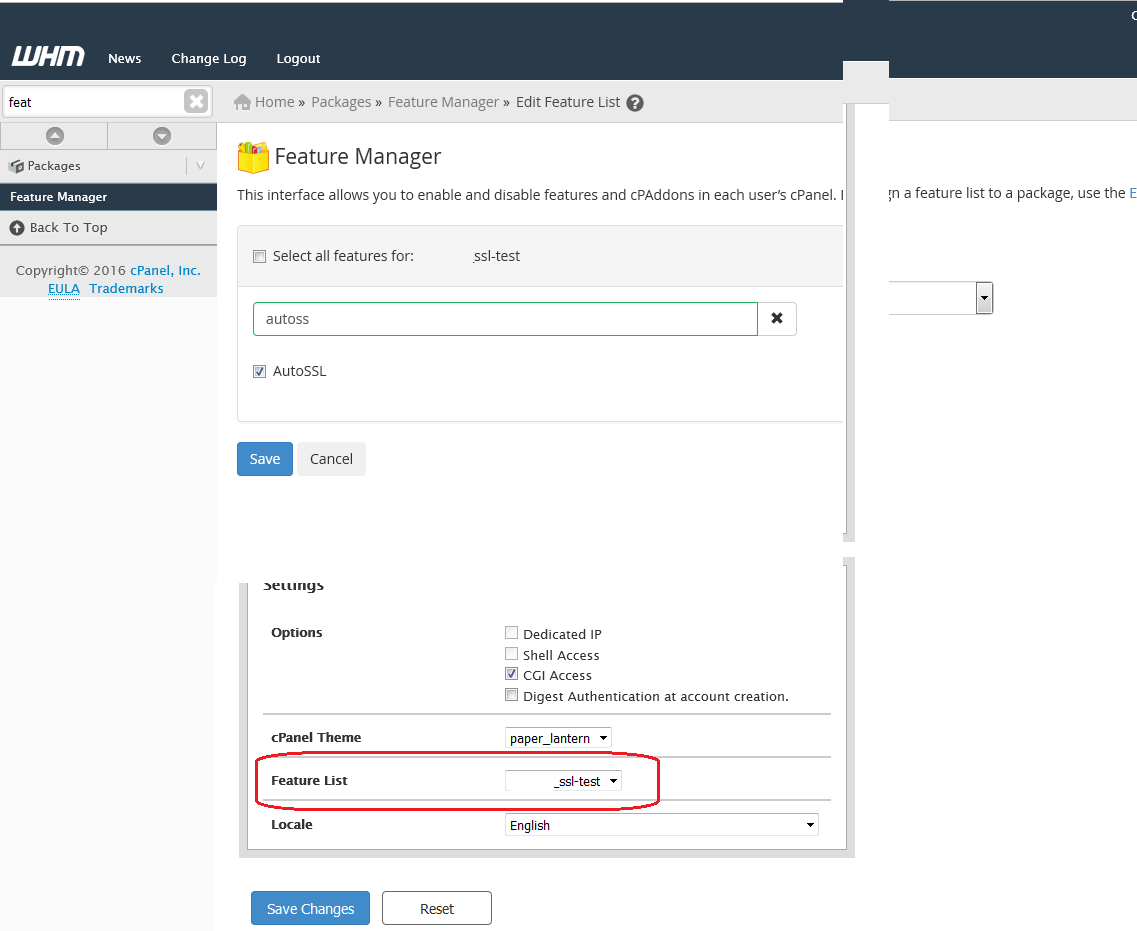
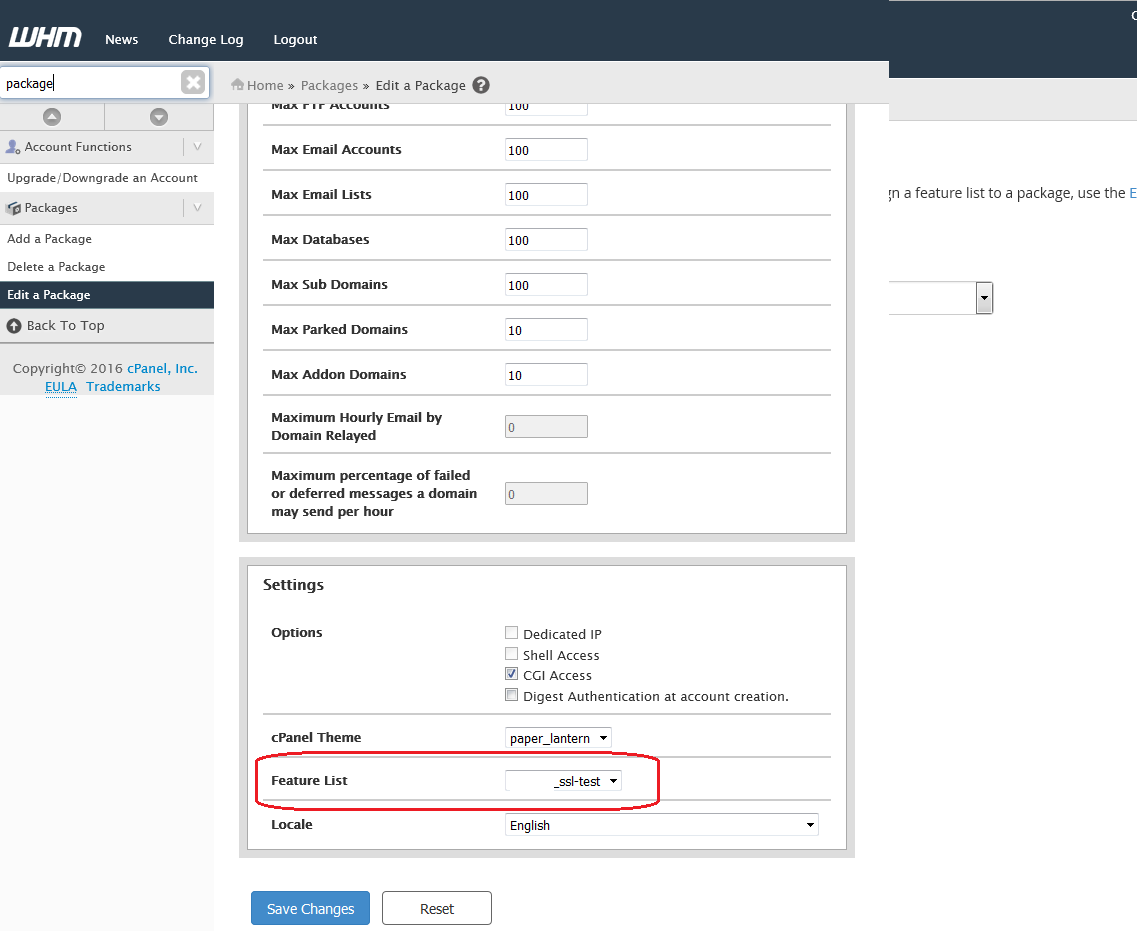
Follow the below steps to enable and activate Let's Encrypt.
That's all there is to it. Every account that is assigned the package with AutoSSL enabled will automatically have a free Let's Encrypt SSL issued and installed within 2 - 4 hours.
NOTE: If your cPanel accounts under your reseller do not have a package assigned to them, you will need to create / edit one and assign the package with AutoSSL enabled as above to the cPanel account(s). To do this, find "Modify an Account" and select the cPanel account to assign the package to. On the next page you will be able to select the package from the dropdown menu. Be sure to save the changes.
| You may also want to use visual panels to communicate related information, tips or things users need to be aware of. |
Related articles appear here based on the labels you select. Click to edit the macro and add or change labels.
|