Before we begin, I suppose your first question is "What is Laravel?" Laravel is a free, open source PHP web application framework, designed for the development of MVC web applications. Laravel is built on top of several Symfony components, giving your application a great foundation of well-tested and reliable code.
The Easy Way:
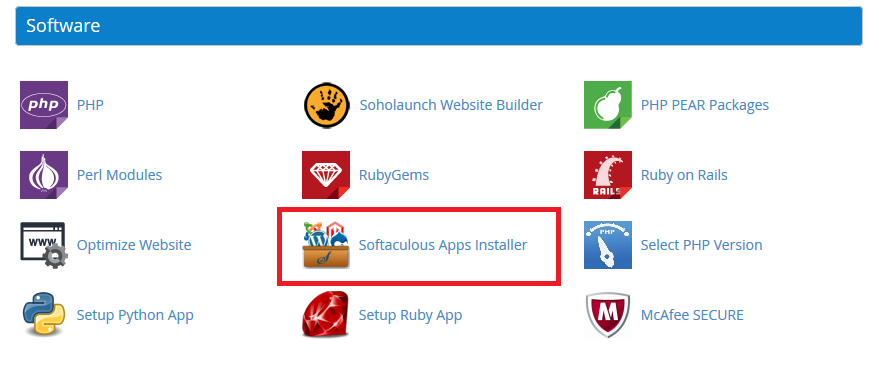
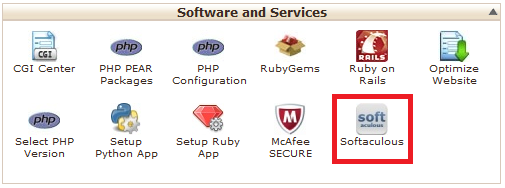
As a GlowHost customer, you can always install Laravel in just one click. It can be found in your GlowHost control panel when you click on the Softaculous Icon.
1.Navigate to Softaculous in cPanel:
Paper lantern theme:
x3 Theme:
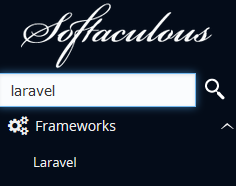
2.Search for Laravel in the search box and click on the result
3.Click install
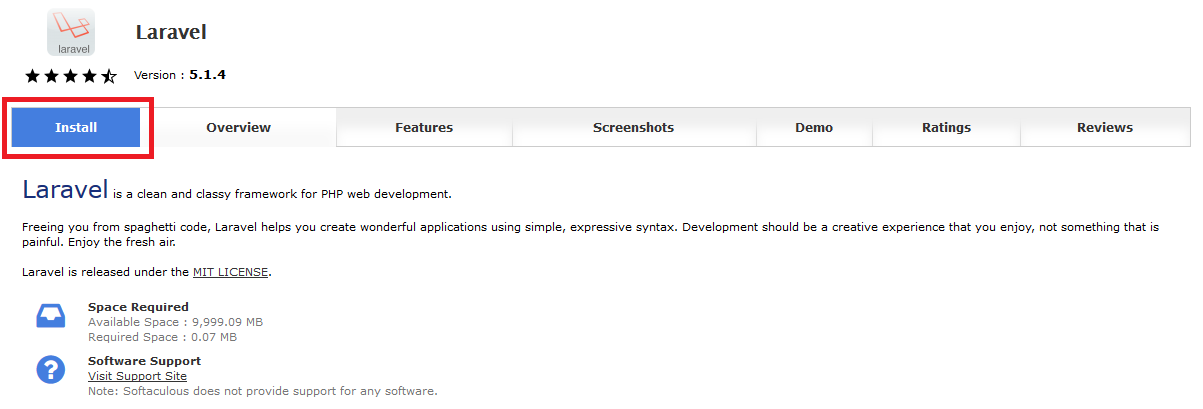
Done!
Manual install
We'll show you how to install it manually for those of you who are interested in what's happening behind the scenes or want to learn how to install this without an auto-installer.
1. You will need SSH access. Please contact us and we will enable normal shell for your account.
2. Install Composer (it is a dependency manager for PHP, and required for Laravel). Please note, you can always ask our support to do this. If you decide to perform installation on your own, please use these commands:
a)
...
| Code Block | ||
|---|---|---|
| ||
alias php="php -d disable_functions=" alias composer="php ~/bin/composer.phar" |
| Note |
|---|
"-d disable_functions=" is very important parameter here, because composer requires some disabled functions (like escapeshellarg or proc_open). |
b) Install your first project:
...
| Code Block | ||
|---|---|---|
| ||
 {
"require": {
"monolog/monolog": "1.0.*"
}
}
|
and run:
| Code Block |
|---|
user@server [~/public_html/project]# composer install Loading composer repositories with package information Installing dependencies (including require-dev) - Installing monolog/monolog (1.0.2) Downloading: 100% Writing lock file Generating autoload files |
...
| Code Block | ||
|---|---|---|
| ||
user@server[~]# cd ~ user@server[~]# rm -rf public_html/ user@server[~]# ln -s project/laravel/public/ public_html |
CHECK THE SITE:

| Info |
|---|
| Some configuration or paths may be different. We only show you an example of installation. Each case is unique. |
...
| Content by Label | ||||||||||||||||||||
|---|---|---|---|---|---|---|---|---|---|---|---|---|---|---|---|---|---|---|---|---|
|
| Page properties | |||
|---|---|---|---|
| |||
|